Tuesday, November 24, 2009

Scratch Challenge 3 and 4


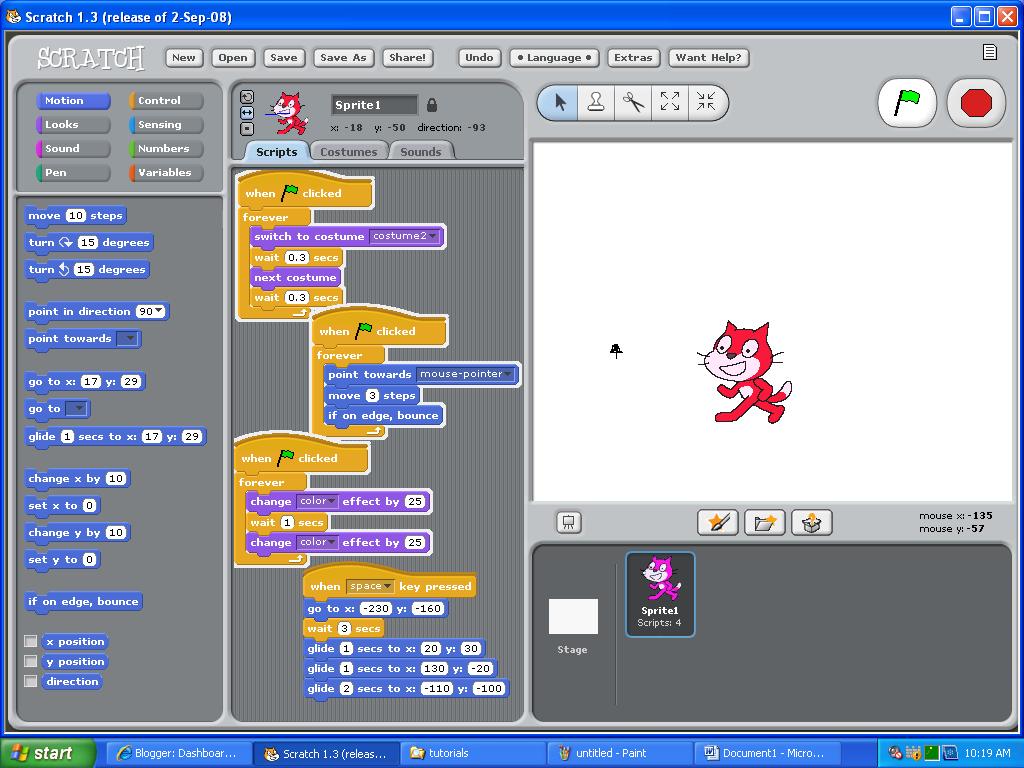
This sprite/bat moves its wings as it moves towards you.
Scratch Challenge #2


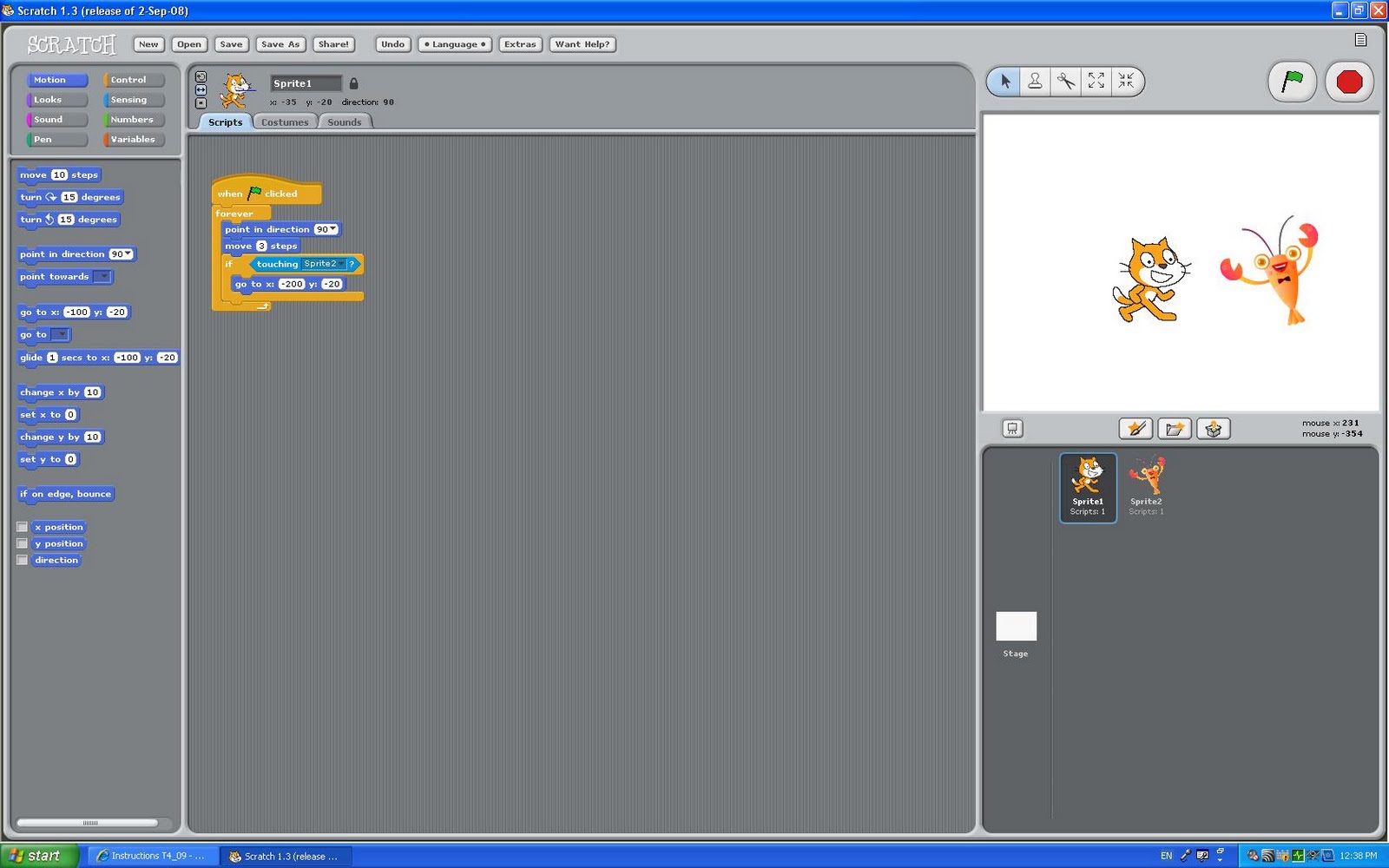
These two sprites move across the screen, and when they touch each other, they go back to where they started.

Friday, November 20, 2009

Scratch Tutorials - Moving-Animation


In this tutorial the parrot flies around the screen...

Scratch Tutorials - Key-Moves


In this Scracth tutorial the cat moves up when I press the up arrow, down when down arrow pressed and right or left when right or left arrow is pressed.

Tuesday, November 17, 2009

Scrath Tutorials - Keep-Score


In this example of Scratch, the score increases by 1 point every time the shark touches the crab.

Scratch Tutorials - Whirl


In this Scratch tutorial, the cute little monkey sprite whirls.... whatever that means. Well, you can see what it does on the two pictures of the monkey above:-)

Scrath Tutorials - Animate It, Change Colour, Glide and Follow The Mouse


Yeah, so above is another example of what you can do on Scratch :-)
I've made the sprite change costume, so it looks like it's walking, and as it walks, it changes colour. When i press the space button, it glides to different points, and when the green flag in top right corner is clicked, it follows the mouse ;-)

Friday, November 6, 2009

Scrath Challenge #1

SCRACTH IS A PROGRAMMING LANGUAGE FOR EVERYONE, IN WHICH YOU CAN CREATE INTERACTIVE STORIES, GAMES, MUSIC AND ART.
Below is an example of what you can do on Scratch:


Here I have made the sprite (the cat) glide from one edge to another. When I press the green flag in the top right corner, it starts to glide.

Monday, November 2, 2009

Sample flowcharts

The blue flowchart will design, code and test and if there is an error, you will be able to go to the beginning and strat all over again.

The green flowchart will turn LED on, start timer, turn LED off and reset timer.

The red flowchart will read template and print the below or above freezing.


Below I have converted an algorithm into a flowchart. Don't know what an algorithm is? There are some definitions in another post below, where algorithm has been defined;-)


Flowchart: Opening a door

Sunday, November 1, 2009

Windows 7


1. What versions is Windows 7 available in?

Windows 7 is available in Starter, Home Premium, Proffesional, Ulitmate, OEM and Enterprise.


2. Describe some of the features of the new taskbar:

Some of the features of the new taskbar include driver support, multitouch groundwork for the future, better battery management and easy-to-use interface.


3.What are jump lists and how will they be useful?

Jump lists are another new taskbar improvement that make recently opended documents easier to get to.


4. How can one quickly size two windows to fill the desktop side by side?

To size two windows to fill the desktop side by side, drag one window to the left edge and one to the right, and they wll automatically resize to fit the desktop.


5.Describe the 9 multitouch gestures that Windows 7 uses:

  1. Tap and double-tap
  2. Planning with Inertia
  3. Selection/Drag
  4. Press and tap with second finger
  5. Zoom
  6. Rotate
  7. Two-finger tap
  8. Press and hold
  9. Flicks

6. What is XP mode? What users would find this feature most useful? Would it be useful?

XP mode creates a virtual XP environment in which you can run older programs. This will be useful for businesses, as it doesn't have much of a practical application for the home consumer.

7. What feature related to to removable drives has Windows 7 removed in a bid to increase security?

To increase security, Windows 7 has removed AutoRun.
Friday, October 23, 2009

Definitions

  1. Algorithms - A step-by-step problem-solving procedure.
  2. Pseudo code - A high-level abstraction of code used to outline the steps in an algorithm.
  3. Machine language - A programming language designed for use on a specific class of computers.
  4. High Level Computer Language - Programming language with strong abstraction from the details of the computer.
  5. Flowchart - A diagram of the sequence of operations in a computer program.

Monday, August 17, 2009

Wireless broadband and Cable broadband

Broadband means speed and is a collective name given to a range of high speed internet connections that are normally switched on.

Wireless boradband is ten times faster than a dial-up connection plus it is completly independent of your phoneline. You connect via a small outdoor antenna to a network of small community-based radio repeater stations. Upload speeds are typically half the download speed and if the service uses a satellite feed to connect back to the internet there may be some limitations such as not being able to use video conferencing tools.

Cable broadband is broadband delivered via a cable and is only available for people with cable service in their area. Cable broadband is optic fibres that offer an excellent way of getting online, watching television and using the telephone.


http://www.ukbroadbandfinder.com/Broadband-Glossary-Definitions
http://www.hie.co.uk/broadband/broadband_facts.htm

Friday, August 14, 2009

SCRAPBLOG.COM

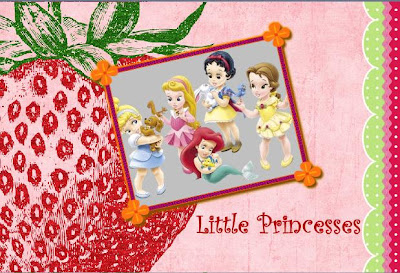
Scrapblog is easy to use as it allows the users to add images and videos. Frames and other stuff is included, and there is a wide variety of them.
It is easy to add stuff and it doesn't take a long time to upload images.
The following is a scrapblog I made:


Tuesday, July 28, 2009

The World of Multimedia

There are many types of multimedia that we use in our daily lives. Mobile phones are used everyday to communicate with friends and family. Computers are essential because we can find information on anything and this is helpful when doing research and other schoolwork. Also, we can communitcate with other people using the computer through email and chat and computers are therfore used constantly.
It would be hard for people nowadays to live without a computer or mobile phone, and I believe that we would have a hard time finding information and communicating with friends and family. In my opinion, phones and computers will become more like a part of life in the future, and it will become harder for us to live without these.
The video on future directions seems pretty reliable to me. There are already some things that reminds me of those items in it. They are faster, easier and portable. I cannot see any any disadvantages in these future items.

Monday, July 27, 2009

Monday, June 29, 2009

RSS Feeds

1) Define RSS Feeds:
RSS stands for Really Simple Syndication. It is a format that distributes news and other web content. A feed is when you put that content into RSS and send it to other people or websites.

2) What goes in the feed?
Audio, music, texts, videos and images. The feed contains a list of items that is identified by a link to the content on your site.

3) What can a feed do for you?
It allows you to see content without going to the website. Once you subscribe, the content comes to you.

4) How is a feeds different from email?
Feeds provide more information than an email. Emails are personal and meant for only you to read, however, a feed is not personal and can be read by anyone.

5) How do people read feeds?
To read RSS feeds, you send out the content and subscribers read it using newsreaders.

6) How do people find the feeds you want to subscribe to?
By using search-engines.

SYNOPSIS - Term 2 assessment

Our video is a documentary about chocolate. It informs the audience about the history of chocolate, Aztecs and their relation to chocolate, nutritional info and slave labour. It is a video that can be viewed by anyone, but it is mostly suitable for people aged about 10 and above. I, Sandy, and my group members Andy and Rena hope this video is enjoyable, as well as informative at the same time.

Monday, June 15, 2009

Broadband ?!

1. What is broadband?
Broadbans is a type of data transmission in which a single medium can carry several channels at once. Broadband technology can transmit data, audio, and video all at once over long distances.

2. What units are used to measure bandwidth?
Bandwidth is measurred in megabits.

3. How much faster is broadband than dial up?
Broadband is about 40 times faster than dial up.

4. What are the speeds that broadband operates at compared to dial up?
A broadband connection transfers information at a rate of at least 2 megabits per second, a standard narrowband transfers info at the rate of 56 kilobits per second.

5. What are some of the advantages of using a broadband connection to download something like a video compared to dial up?
An advantage is that it provides tru media such as video, voice and data without the delay a narrowband incurs.

SYNOPSIS - Term 2 assessment

In this terms assignment we are asked to do a video on a topic of our choosing. Rena, Andy and I decided to do ours on chocolate... yeah, I know it's a weird topic, but we didn't have any better ideas. It's aimed at, well, everybody, and teaches us facts about chocolate that we might not have known about before.

We have included an intro, history of chocolate, Aztecs and their relation with chocolate, slave labour, Nutritional information, the states of chocolate and the outro.
By the way, I'm doing history of chocolate and the outro :-)

Wednesday, June 10, 2009

Terms relating to audio files

Stereo - Reproducer in which two microphones feed two or more loudspeakers to give a three-dimensional effect to the sound.
Channel - A path over which electrical signals can pass.
Track - A song.
Frequency - The number of times a sound vibrates per unit of time. Frequency is expressed in hertz (Hz), a unit of measurement equal to one cycle per second.
Hertz - The hertz (symbol: Hz) is a measure of frequency, informally defined as the number of events occurring per second.
Decibel - The decibel (dB) is a logarithmic unit of measurement.
Wav, mp3, aiff - Wav is the file extension of an Audio for Windows sound file.
MPEG-1 Audio Layer 3, more commonly referred to as MP3, is a digital audio encoding format using a form of lossy data compression.
Aiff, or Audio Interchange File Format (AIFF) is an audio file format standard used for storing sound data for personal computers and other electronic audio devices.